Transactions and co-signing
The Transactions page has a Queue tab for anything waiting and a History tab for what has already happened. It shows transactions for the Prime Account you chose with the Prime Account button at the top of the page.
If your wallet can approve a transaction on its own, you sign and it's sent.
What can be in the Queue
| Item | What to do |
|---|---|
| A transaction that needs more Prime Account approvals | Other signers open its co-sign link and sign. |
| A custody transaction that needs more signing weight, for example during the gate set-up or a cancel | Custody's other signers select Sign with active wallet; the last one selects Submit. |
| A stored move waiting for its time | See Use the wait. |
Co-sign links
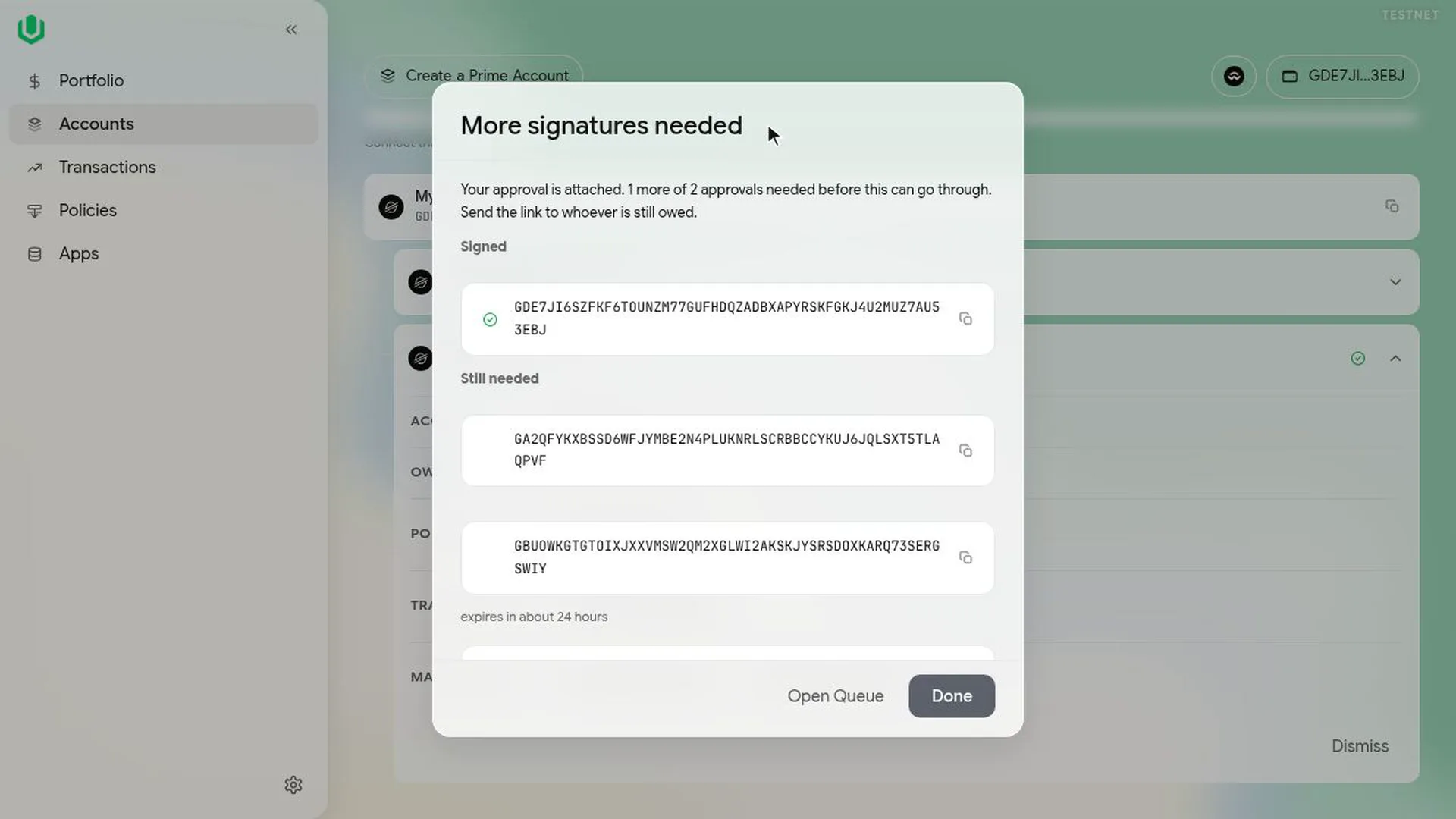
When you sign something that needs more approvals, the app shows More signatures needed with the signers still needed and a link. The link is valid for about 24 hours. You can send it however you like, and anyone can copy it from the Queue later.
The co-sign page decodes the transaction and reads the account from the chain; it ignores any text sent with the link. For a move it lists every call in order.
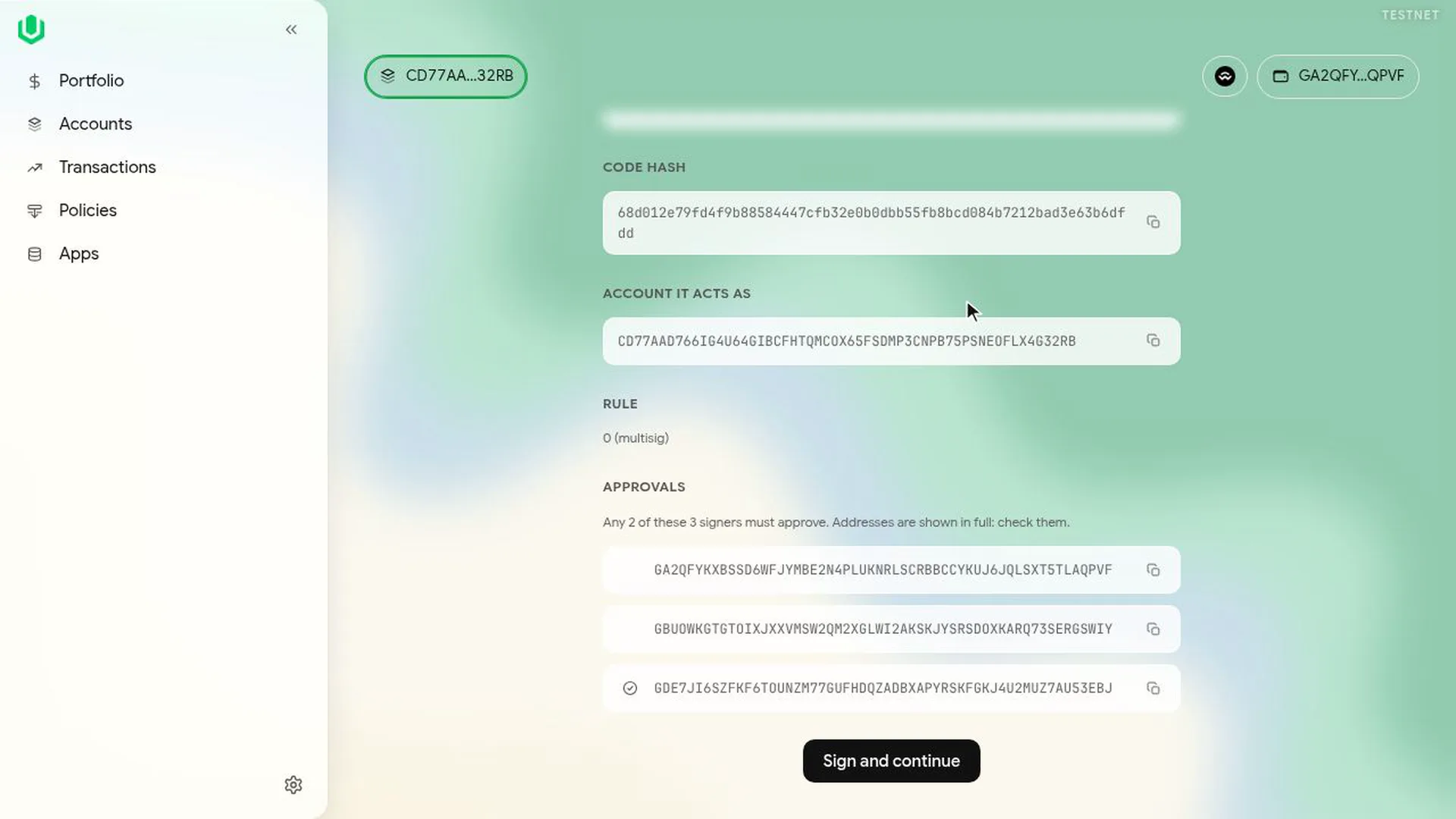
Check it, select Sign and continue, and sign. The transaction is sent when the last approval needed is in.
If two signers open the same link at the same moment, the second one is asked to wait a few seconds so the signatures don't clash.