Run a move
These steps are for rules without a wait. For rules with a wait, see Use the wait.
Build and run a move
- Connect the agent's wallet, choose the Prime Account with the Prime Account button at the top of the page, and go to Apps, then Prime Execution.
- Under Authorised by, choose the rule to use.
- Add the calls. You can fill in one card per call in the Interactive view, or paste the whole move in the Raw view. A move can have up to eight calls.
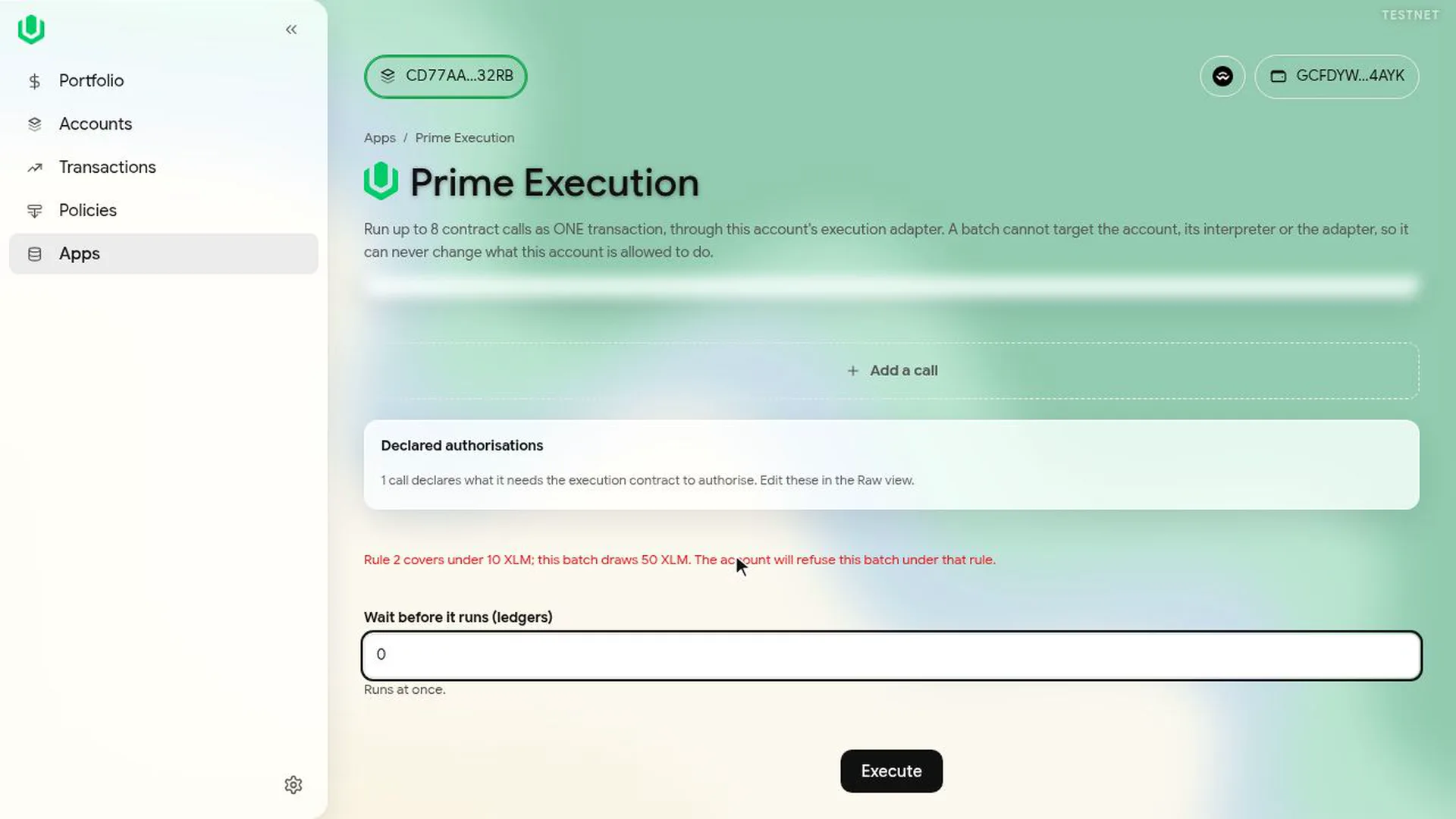
- Leave Wait before it runs (ledgers) at its default (0 in the video).
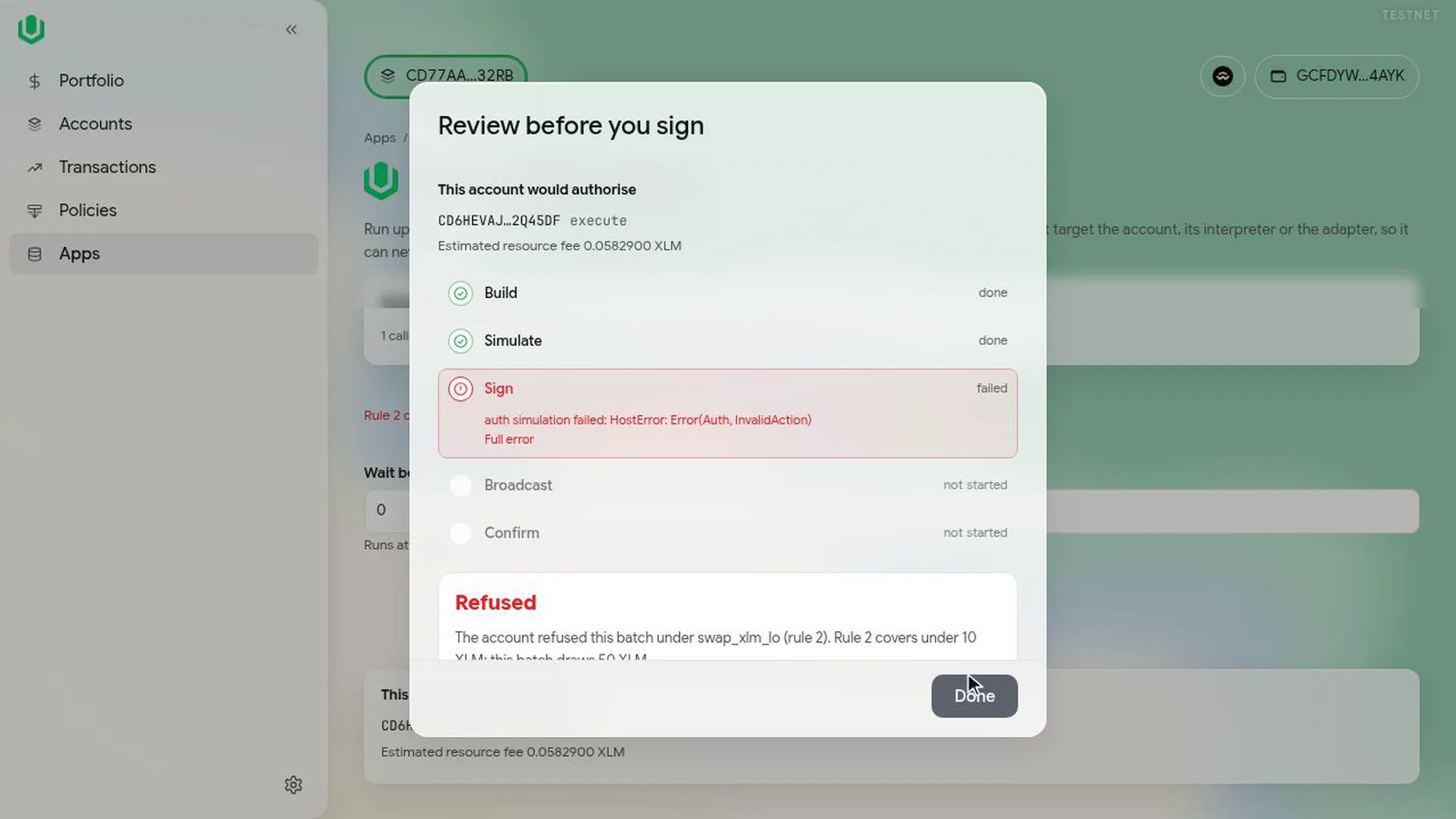
- Select Execute. The app simulates the move and shows what the account would authorise and the estimated fee.
- Select Run and sign.
A swap of custody's XLM on Aquarius is three calls: the gate pulls the XLM from custody, the pool swaps it with a minimum USDC amount, and the USDC is transferred back to custody.
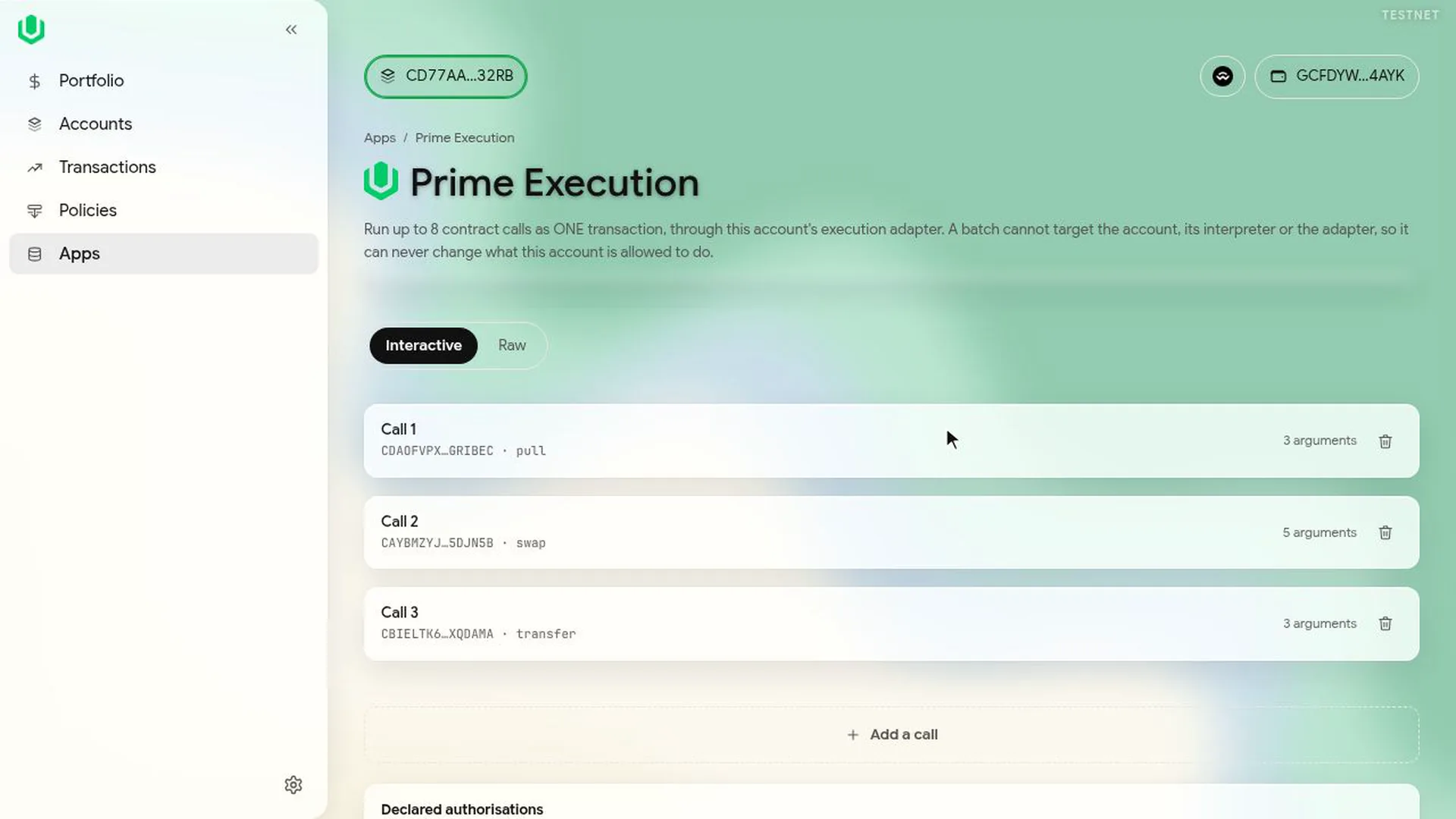
A move can't call the Prime Account, the policy interpreter that checks its rules, or the execution contract.
If the move breaks the rule
The app warns you before you sign. In the video the agent tries to swap 50 XLM under the up-to-10 XLM rule, and a red line under the calls says the account will refuse it.
If you run it anyway, the simulation fails with Refused and nothing is signed or sent. The warning comes from the app's simulation; the account contract enforces the rule on chain either way.
If the rule needs a second approval
After the agent signs, the app shows More signatures needed and saves the request in the Queue. The other approver, the Admin in the video, opens the co-sign link from Transactions, then Queue, checks each call and selects Sign and continue; the swap goes through once they sign.
Next: Use the wait.