Create the execution contract
The Prime Account's signers do this step. It takes two transactions, and each needs the account's approval count.
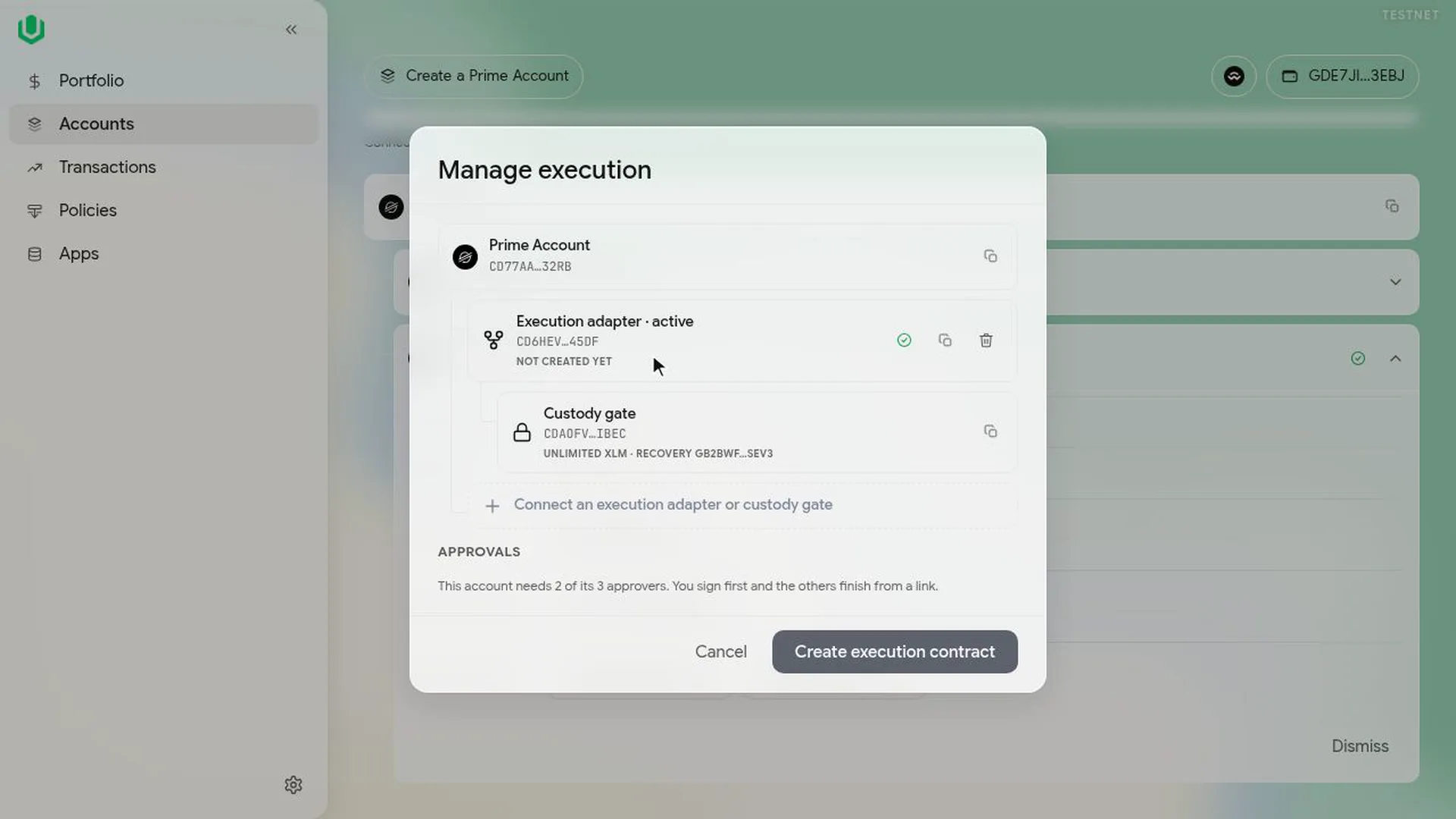
- Go to Accounts, expand the Prime Account and select Manage execution. The dialog lists the execution contract as not created yet, with the custody gate under it.
- Select Create execution contract and sign.
- If your signature isn't enough, a More signatures needed dialog shows who has signed and gives you a co-sign link. The link is valid for about 24 hours and is also saved in the Queue.
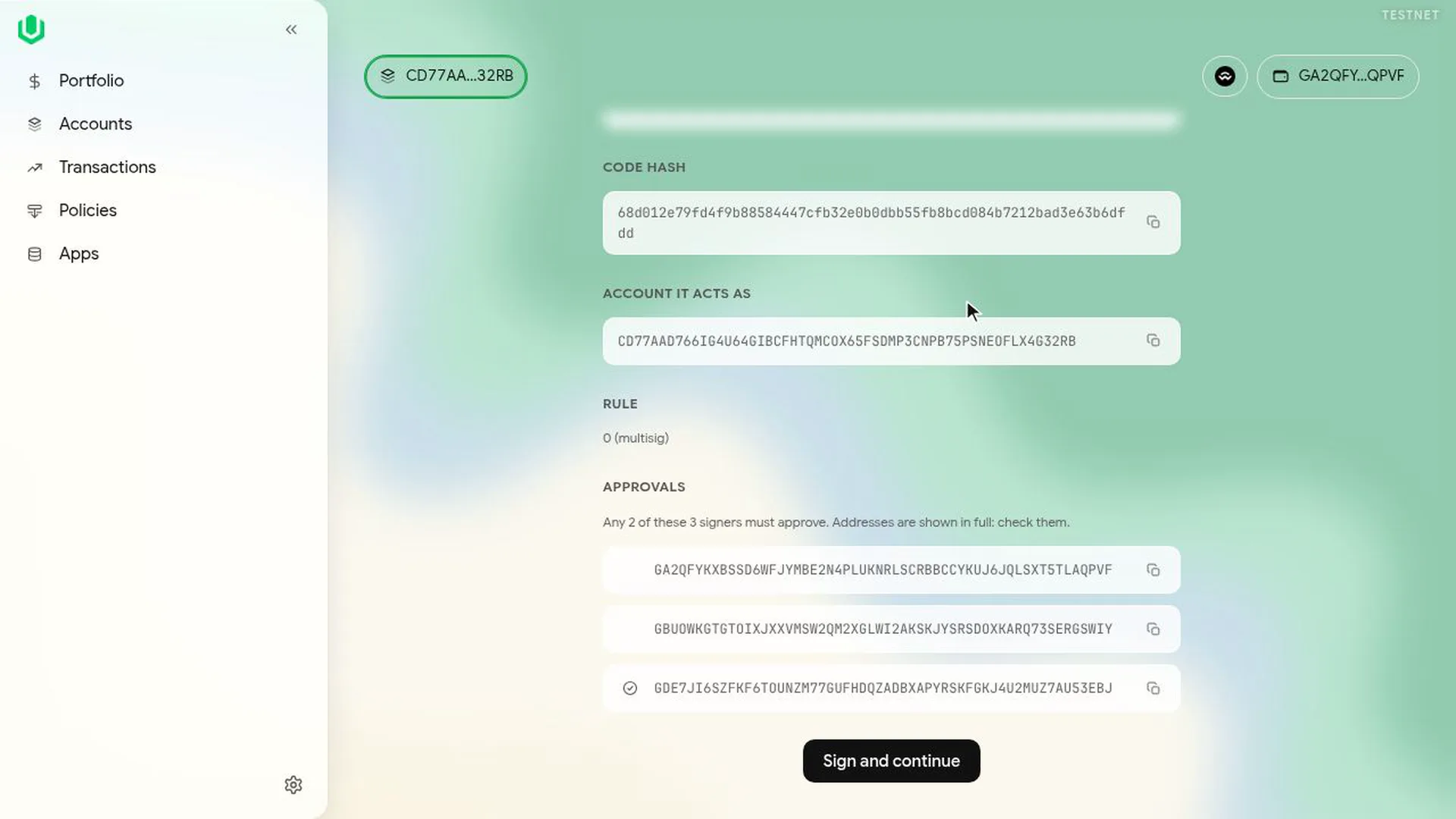
- Another signer goes to Transactions, then Queue, copies the co-sign link and opens it. The co-sign page shows the function, the account, the rule and every approver's full address. They select Sign and continue and sign.
- Back in Manage execution, select Let stored moves run and sign. This adds the rule that lets the execution contract run moves stored under a wait. The other signer co-signs it the same way.
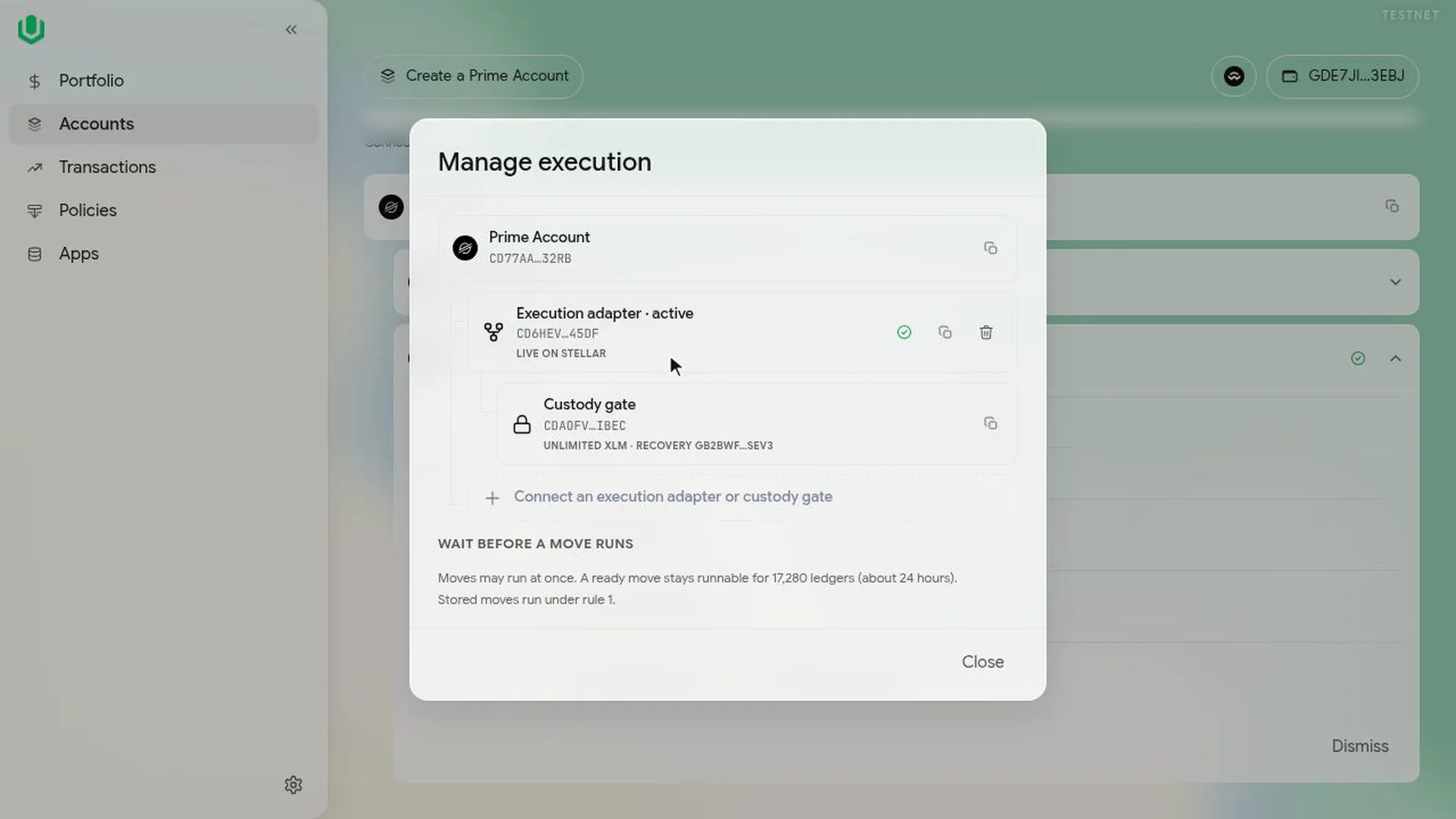
When both are done, Manage execution shows the execution contract as active and the rule that stored moves run under.
Next: Install rules for an agent.