App
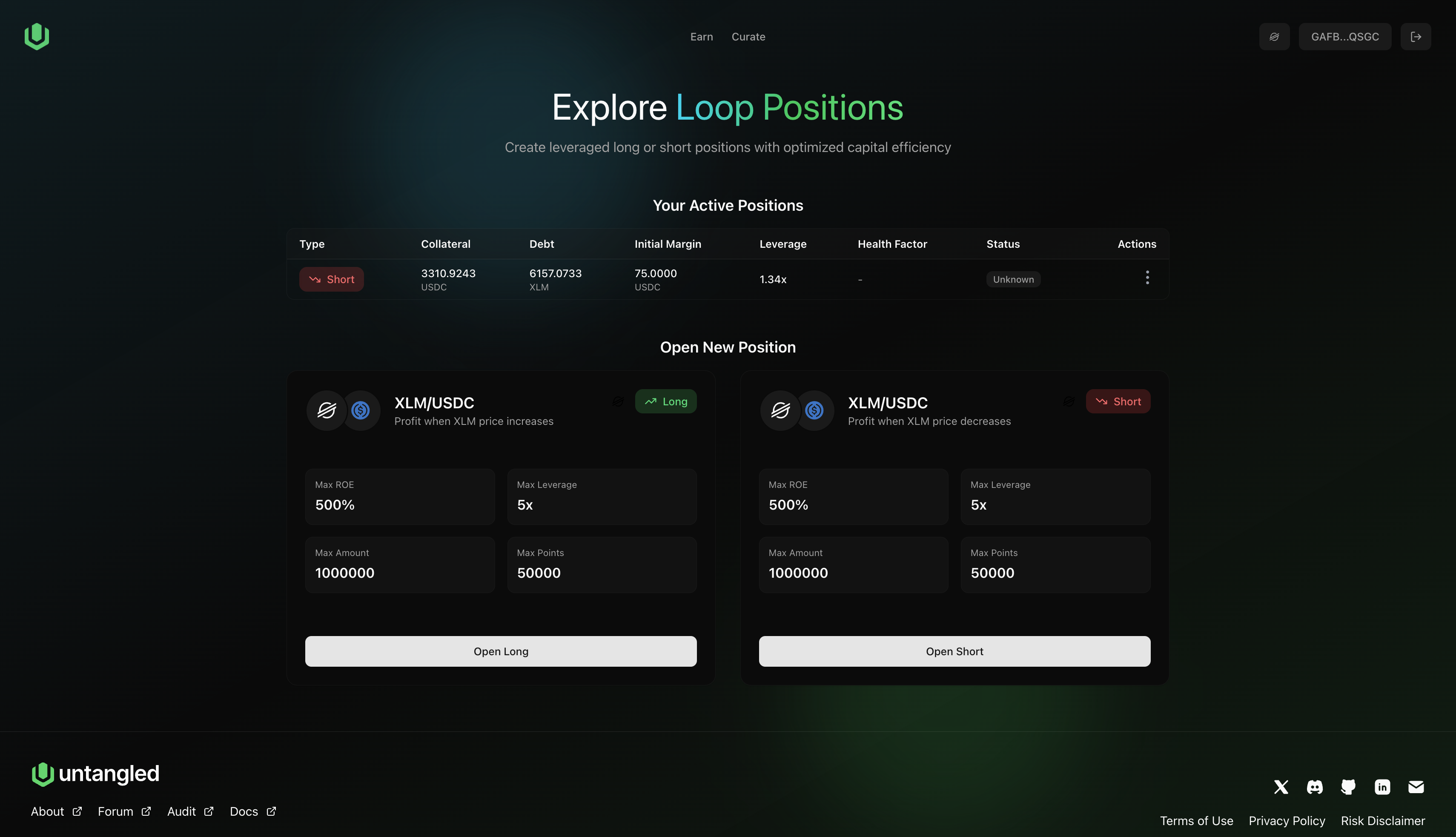
This page explains the current Untangled Loop trading UI (example: opening a short XLM position).
Trade builder (left panel)
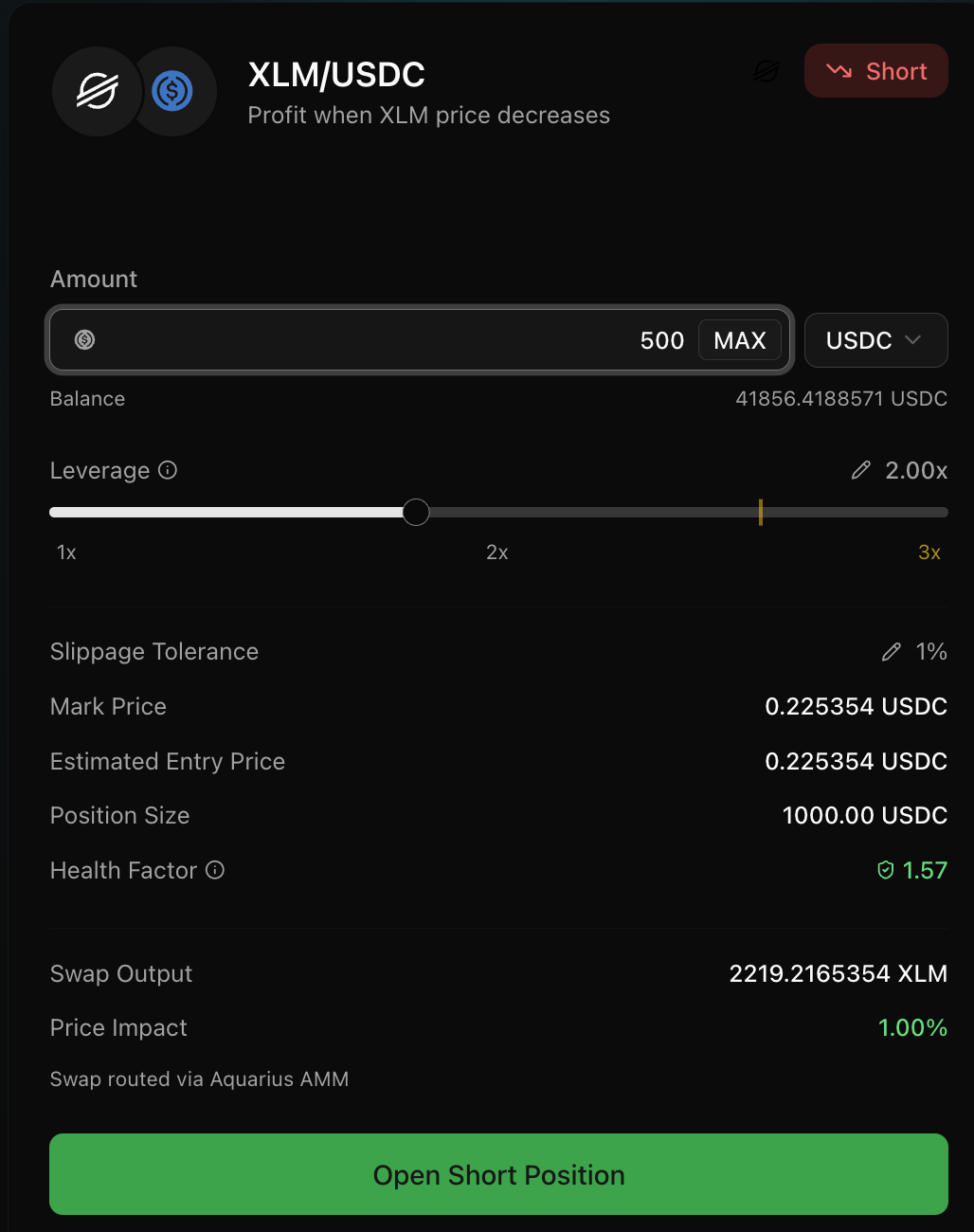
Pair and direction
- Pair: XLM/USDC
- Direction: Short (profit when XLM price decreases)
Inputs
- Amount: your margin input
- Leverage slider: sets effective leverage (constrained by money market parameters)
- Slippage tolerance: affects swap min-output protections
Key previews
- Mark price: reference pricing for health/liquidation context
- Estimated entry price: implied execution price for the swap leg
- Position size
- Health factor / liquidation buffer (risk proxy)
- Swap output
- Price impact (spot execution impact)
Action
- Approve token (if needed)
- Submit trade
Transaction preview (right panel)
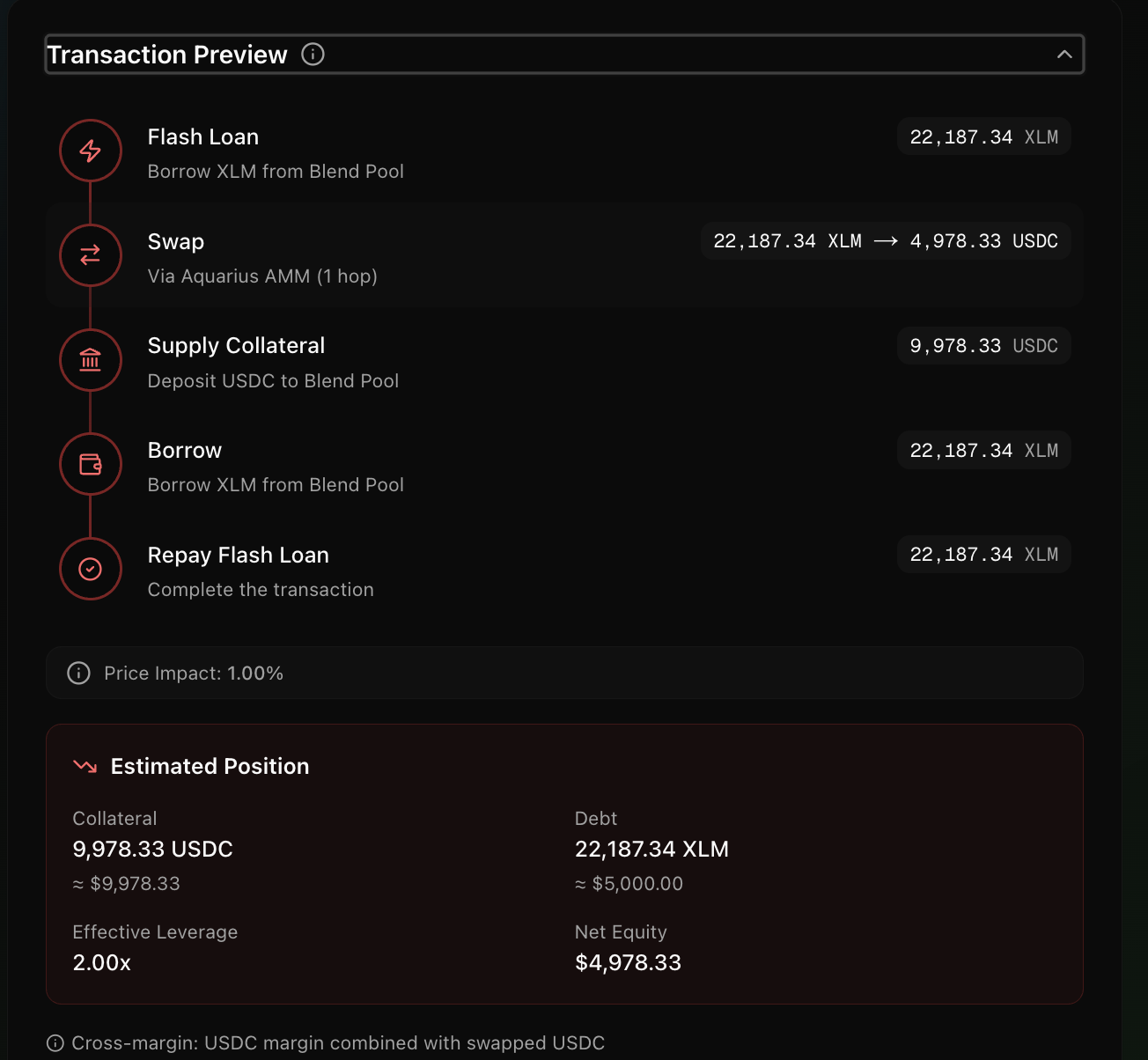
The UI decomposes the single atomic transaction into steps:
-
Flash loan
Borrow XLM (or USDC depending on long/short) from Blend Pool. -
Swap
Execute Aquarius route (1 hop or multi-hop). -
Supply collateral
Deposit swapped asset as collateral on Blend. -
Borrow
Borrow the opposite asset to form the position’s debt. -
Repay flash loan
Complete the flash loan repayment in the same transaction.
This preview is meant to make the mechanics explicit: your “position” is just collateral + debt on Blend.
Estimated position box
Shows the post-trade state:
- Collateral asset + amount
- Debt asset + amount
- Net equity estimate
- Effective leverage estimate
Rates & liquidation
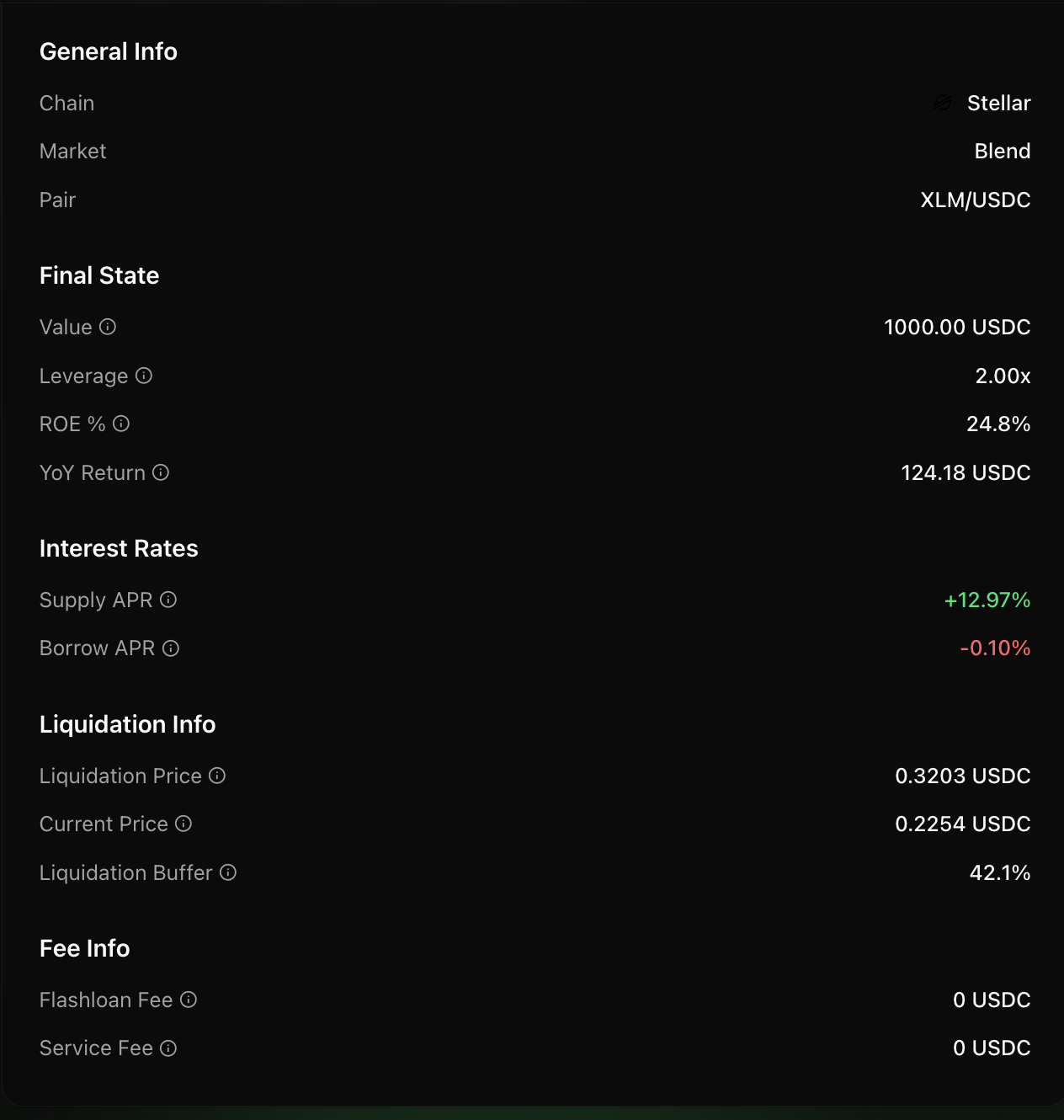
The UI surfaces:
- Supply APR (collateral leg)
- Borrow APR (debt leg)
- Liquidation price + buffer
These values can change with utilisation and market conditions.